Free to download. Optional Pro features are available in the app.
Summer trip 🌍5 people
M
Maya: ok so where are we actually going??
J
Josh: I sent a hotel link last week, scroll up
P
Priya: Lisbon or Porto, I'm honestly fine with either
D
Dev: wait, are we still doing the 14th?
M
Maya: can someone please just decide
128 unread messages
An example group chat where a trip plan is going nowhere.
Every group trip starts in the chat. Most of them stall there too.
A group chat is great for talking. It's terrible for deciding, and it was never meant to hold a whole trip.
Ideas get buried
Links, dates and suggestions scroll away, and nobody can find what was actually agreed.
Nobody wants to pick
Everyone has a preference and no one has a way to settle it, so the plan stalls.
One person ends up doing it all
Someone becomes the unofficial organizer, chasing replies and keeping the real plan in their head.
Everything the trip needs, in one place the whole group shares.
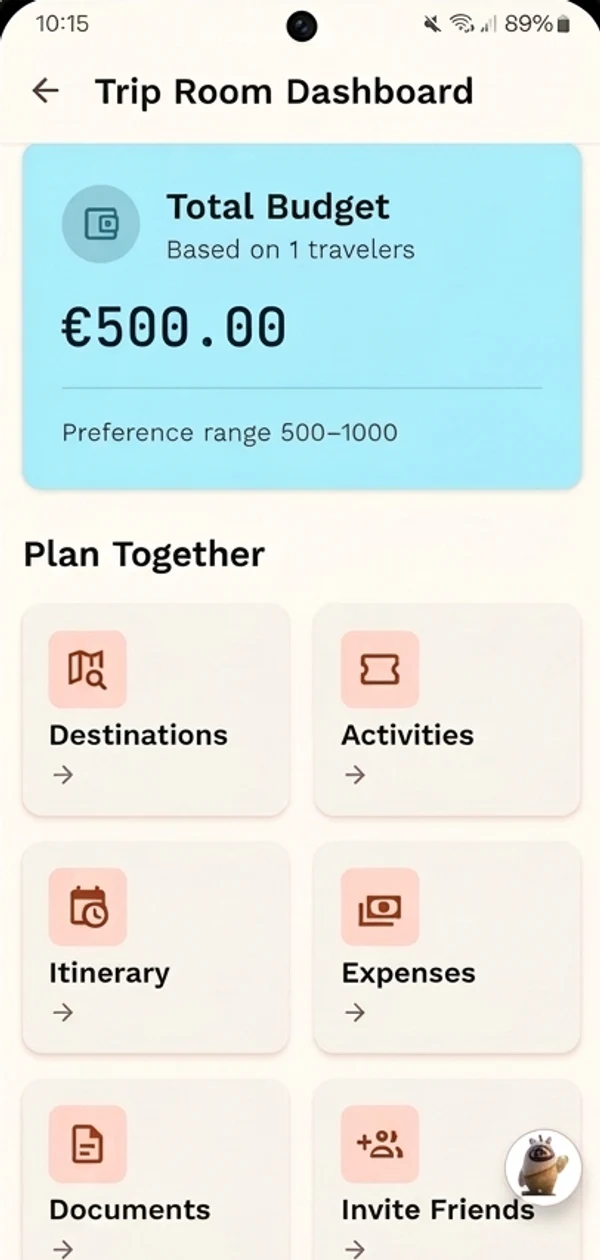
One trip room for the whole group
Create a trip and invite the people who are actually coming. Everything the trip needs lives in the same room, so there is one place to check instead of five apps.
Destinations and activities
The day-by-day itinerary
Shared expenses and trip documents
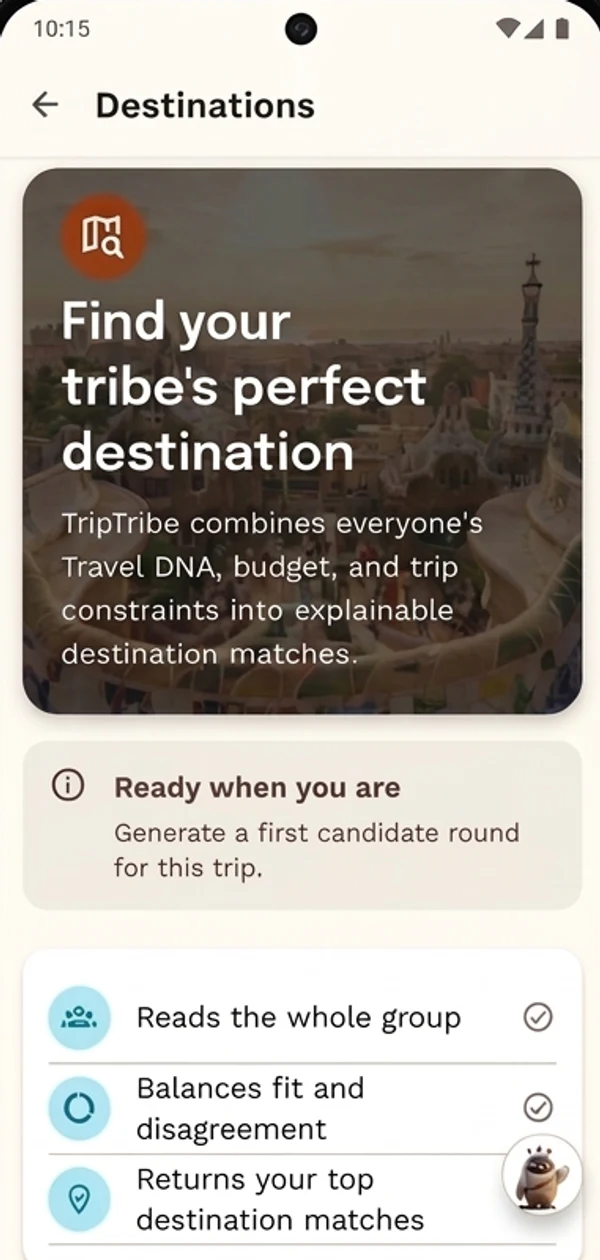
Destination ideas that suit everyone
Each traveler sets their Travel DNA: budget, pace and interests. TripTribe combines the whole group's into a shortlist of destination matches, and explains why each one made the list.
Reads the whole group, not just the organizer
Balances fit against disagreement
Everyone gets a vote
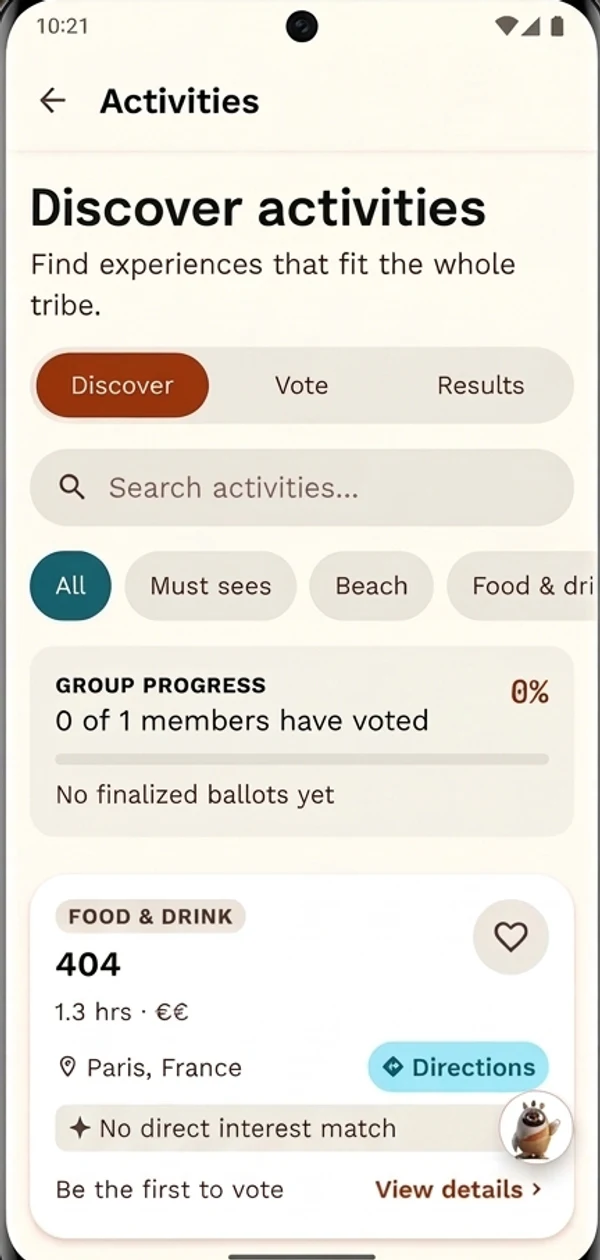
Rank the destination shortlist and vote on activities together. Group progress shows who has weighed in, and the results settle it, with no counting thumbs-up emojis.
Discover, vote and see results in one place
Browse by category, from must-sees to food and drink
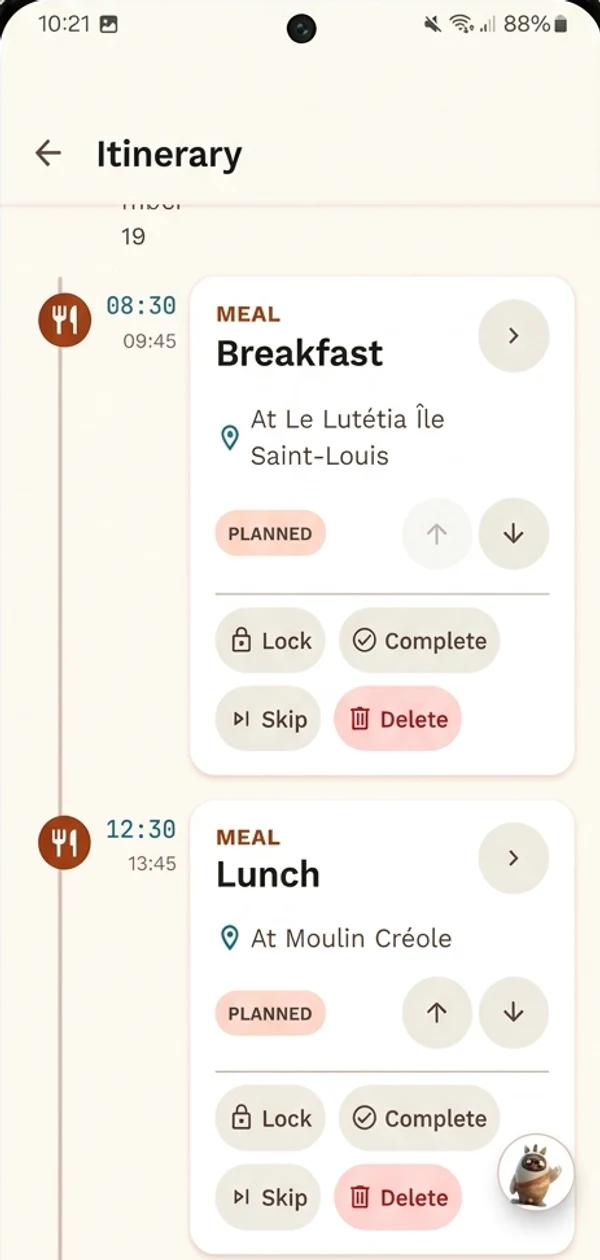
A day-by-day plan everyone can see
Once the destination is confirmed, the itinerary comes together day by day. Reorder stops, lock in what's settled, and tick things off as the trip happens.
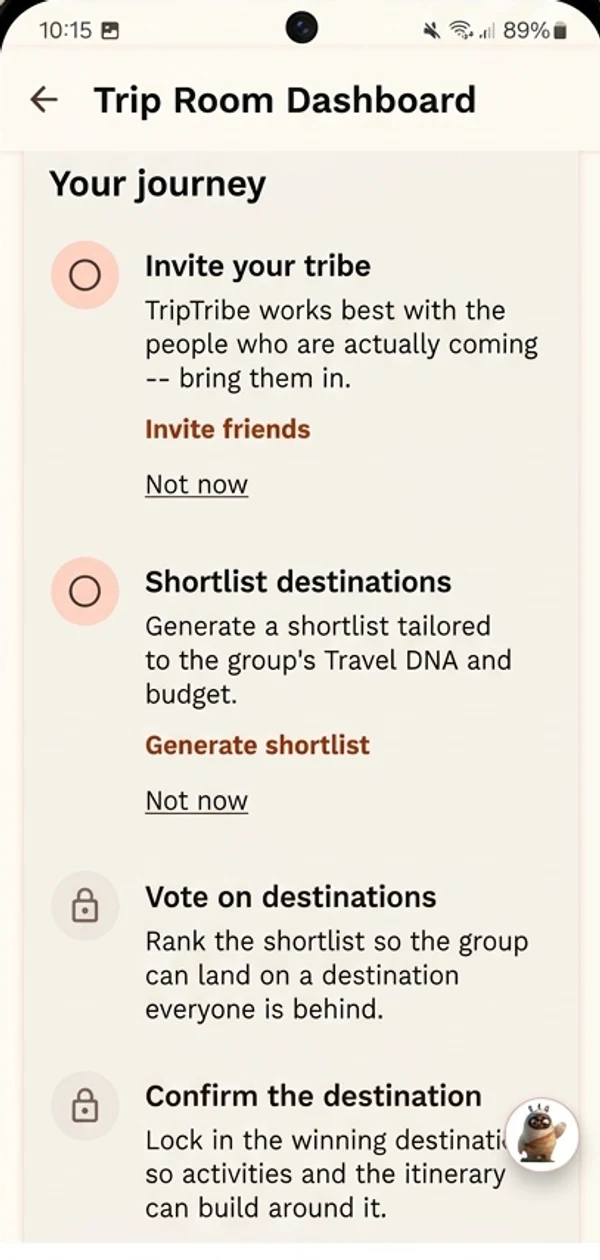
From “where should we go?” to a plan, in four steps.
TripTribe walks your group through the same path every time, so nobody has to figure out what happens next.
1
Step 1: Start a trip and invite your tribe
Create the trip, then invite the people who are actually coming. Everyone plans from the same trip room.
2
Step 2: Shortlist destinations
Generate a shortlist tailored to the group's Travel DNA and budget, instead of collecting links in the chat.
3
Step 3: Vote on where to go
Everyone ranks the shortlist, so the group lands on a destination it's genuinely behind.
4
Step 4: Confirm it and plan the days
Lock in the winner. Activities and the itinerary build around it, and the whole group can see the plan.
The same checklist guides every trip in the app.
Questions before you install
What is TripTribe?
TripTribe is a group trip planning app. Instead of spreading a trip across group chats, spreadsheets and saved links, your group plans from one shared trip, with destinations, activities, the itinerary, expenses and documents all in one place.
Where can I get TripTribe?
TripTribe is available for Android on Google Play. Search for TripTribe in the Play Store, or use any "Get TripTribe on Google Play" button on this site.
How does my group start planning?
One person creates a trip and invites the people who are coming. Invited members need a TripTribe account to join the trip, and from there everyone can propose ideas, vote and help shape the itinerary.
How does TripTribe help us choose a destination?
Each traveler sets their Travel DNA: budget, pace and interests. TripTribe combines the whole group's preferences into a shortlist of destination matches, then the group ranks the shortlist and confirms a winner together.
Can everyone in the group take part, or just the organizer?
Everyone. TripTribe is built around group participation, so every member of a trip can contribute and vote, not only the person who created it.
Is TripTribe free? What does Pro add?
TripTribe is free to download, and its core group trip planning tools are free to use, including destination and activity voting, itinerary building and shared expense tracking. Pro is an optional in-app purchase that adds AI-assisted itinerary planning, destination reasoning and personalization. The app shows what each plan includes. TripTribe doesn't process payments between group members.
Your group chat has done enough.
Give the next trip its own place to come together. TripTribe is free to download on Google Play.